2025 · INTERNAL TOOLS | DASHBOARD
Student Behavior & Discipline Platform
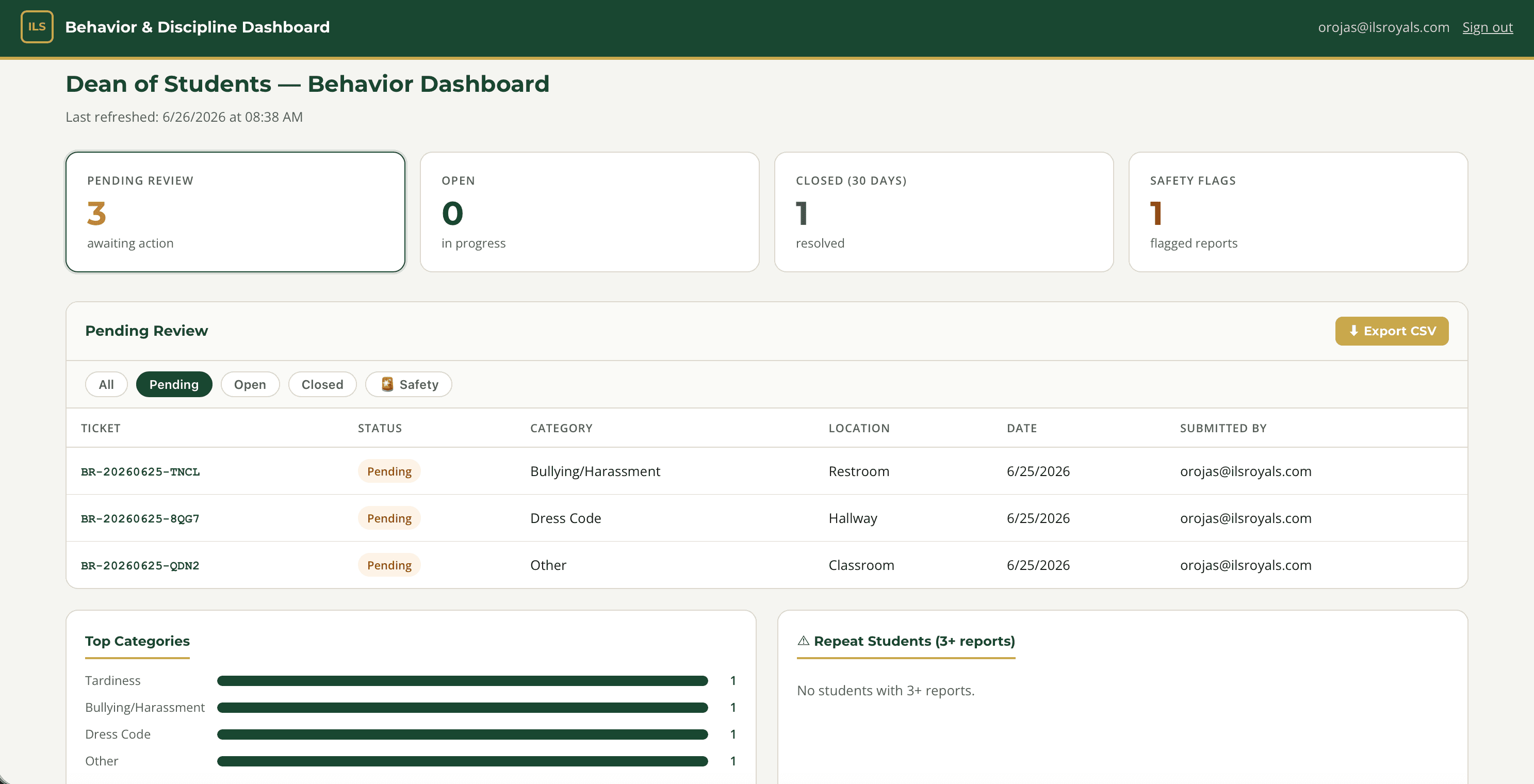
A system for the Dean of Students to log incidents, track patterns, and stay notified, built in 8 phases as requirements became clearer.
Built at Immaculata-La Salle High School
Tech Stack
Overview
Staff were managing incident reports through email and spreadsheets. I built a submission form for staff and a dashboard for the Dean of Students to review, filter, and manage cases, shipped in 8 phases as requirements evolved through stakeholder feedback. That's how internal tools actually get built. All data stays within the school's Microsoft 365 environment, which matters when you're dealing with student records. Role-based views mean staff only see the cases they filed.
Impact
Who it serves: All ~100 staff who can file an incident, plus the Dean of Students who manages every case, covering all 890 students
Before
Incident reports were managed through email threads and spreadsheets, so seeing patterns across a student's history or filtering by category meant manually digging back through old messages.
After
Staff file a structured incident form in minutes, and the Dean of Students filters and tracks every case from one dashboard, with automatic email notifications, without leaving the school's own Microsoft 365 environment.
Est. Annual Cost Saved
$4,000/yr
Estimate, not an audited figure. Methodology and sources are disclosed above for each comparable product.
What I Built
- Staff incident submission form with category, severity, and follow-up fields
- Dean of Students dashboard, filterable by date, student, category, and status
- Power Automate email notifications on submission and status change
- Role-based access: staff vs. administrator data visibility
- SharePoint as the data layer, so no external database is required
- 8-phase development lifecycle from requirements to production deployment
What I Learned
Translating institutional paper workflows into digital systems with multiple stakeholder types
Building role-based access with MSAL without a dedicated backend
Managing multi-phase projects solo: scoping, building, testing, and deploying incrementally
Handling sensitive student data within Microsoft 365 compliance boundaries