2026 · INTERNAL TOOLS | ADMISSIONS
Open House Registration
A public admissions-funnel form replacing a paper Open House sign-up: multi-student sibling registration, automatic confirmation emails, and a single shared QR code for day-of check-in.
Built at Immaculata-La Salle High School
Tech Stack
Overview
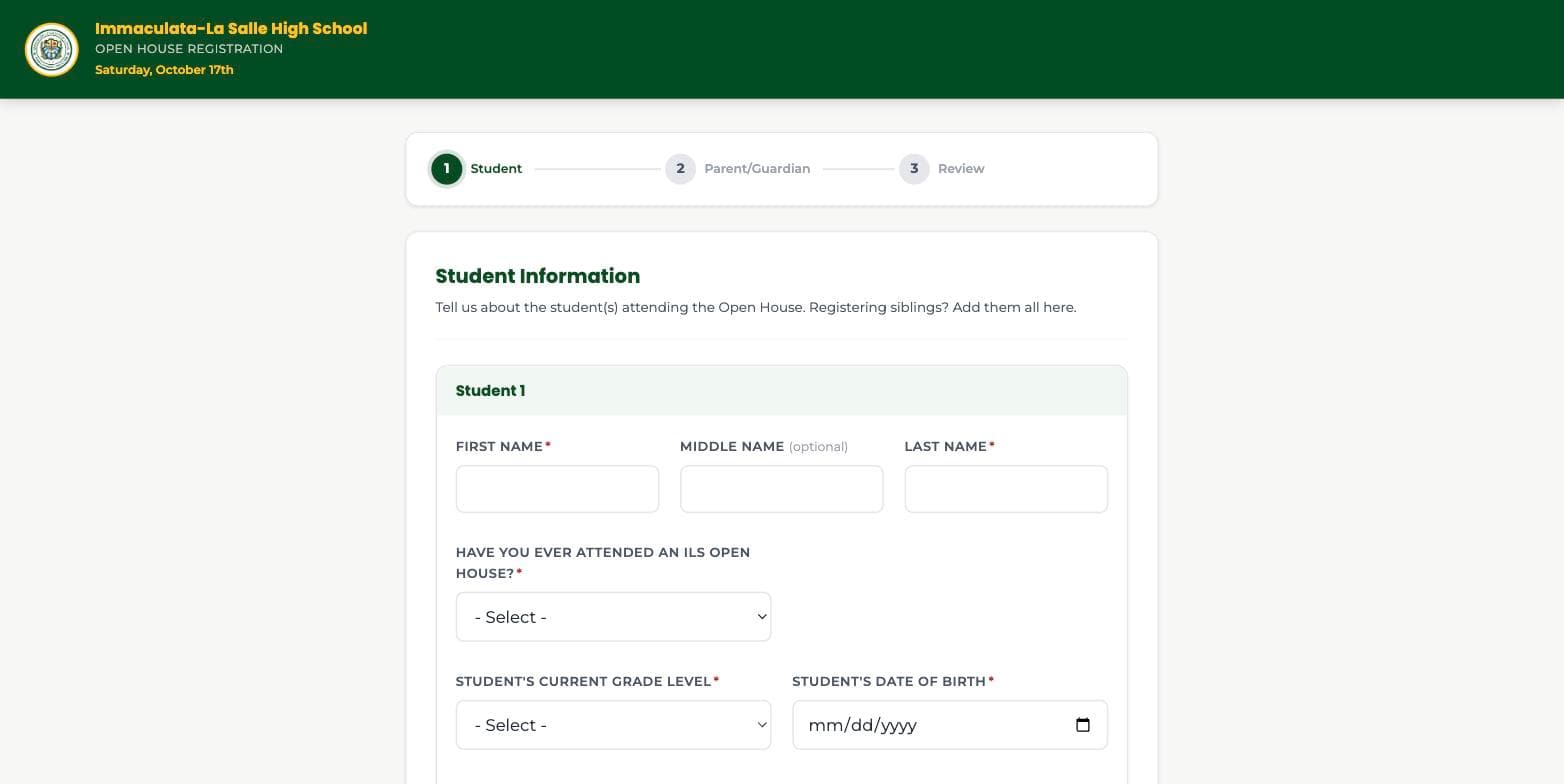
Open House sign-ups ran off a printed, Archdiocese-style paper form that had to be retyped into a spreadsheet before anyone had a real headcount. I replaced it with a public 3-step registration form (Student → Parent/Guardian → Review) that supports registering siblings in one pass, auto-detects Archdiocese of Miami schools to prompt for a shared student information system ID, and sends a confirmation email with the event details and calendar links the moment a family submits. On event day, families check in through a single shared QR code, and admissions staff watch registrant, guest, and check-in totals update live on a dashboard instead of reconciling a headcount afterward.
Impact
Who it serves: Every prospective family registering (siblings included), plus the admissions/front-office staff running day-of check-in
Before
Open House sign-ups ran through a printed, Archdiocese-style paper form handed out and collected in person, then manually retyped into a spreadsheet before anyone could produce a real headcount or a working attendee list for check-in day.
After
Families register online in a guided 3-step form with sibling support and get an automatic confirmation email, then check in on event day via one shared QR code while staff watch registrant, guest, and check-in totals update live.
Est. Annual Cost Saved
$3,000/yr
Estimate, not an audited figure. Methodology and sources are disclosed above for each comparable product.
What I Built
- 3-step public registration form with multi-student sibling support (up to 5 per submission) and ADOM-school auto-detection prompting a shared student information system ID field
- Live phone-number formatting and validation across Home/Cell/Office fields
- Automatic confirmation email with event details, an inline embedded crest, and Google/Apple calendar links, sent via Graph the moment a submission completes
- Day-of check-in flow with an editable party size, driven by a single shareable QR code with the ILS crest embedded directly in the code
- Admin dashboard: registrant table, deduplicated guest totals across sibling submissions, check-in stats, and self-service admin management (add/remove admins with no redeploy)
- Layered bot protection on the public submit endpoint that rejects abuse attempts silently, without revealing which check caught them
What I Learned
Microsoft Graph rejects array values for a multi-select Choice column outright. Converted the column to plain text and joined selections into a delimited string instead of fighting the documented (but broken-in-practice) array format.
Sibling rows from one multi-student submission all shared the same AttendeeCount, so the dashboard's guest total counted each sibling's party size separately, and a 2-sibling '4 attending' submission read as 8. Fixed by adding a SubmissionId column and deduplicating the total by submission, not by row.
Simplified admin management so admins could add or remove each other without needing an elevated, tenant-wide directory permission.
A native window.confirm() on the remove-admin action froze the browser-automation test session mid-test. Replaced with an in-page two-step confirm before shipping.